Three steps to an optimized build
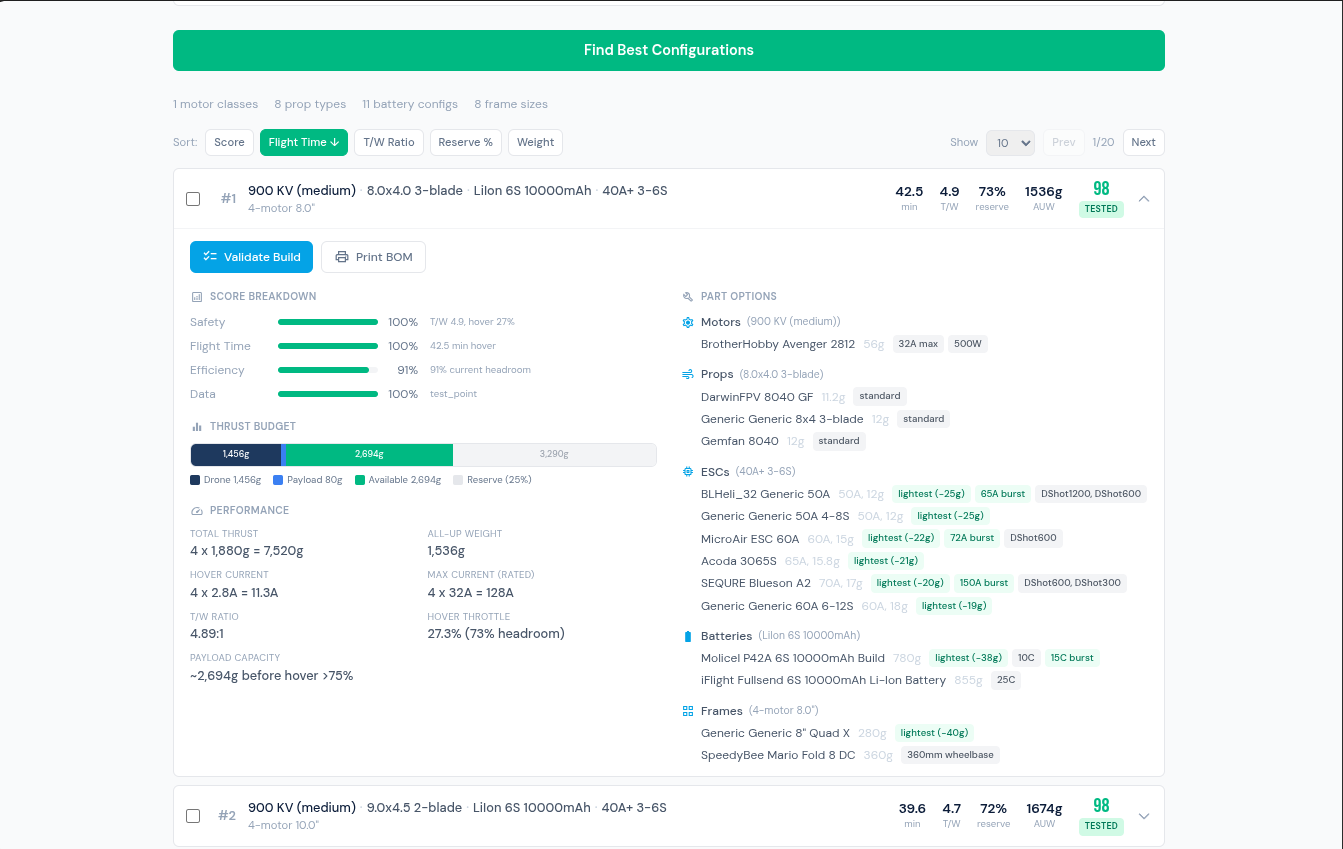
Set flight style, battery type, and payload. The engine searches all compatible combinations and ranks them by data confidence, flight time, and efficiency.
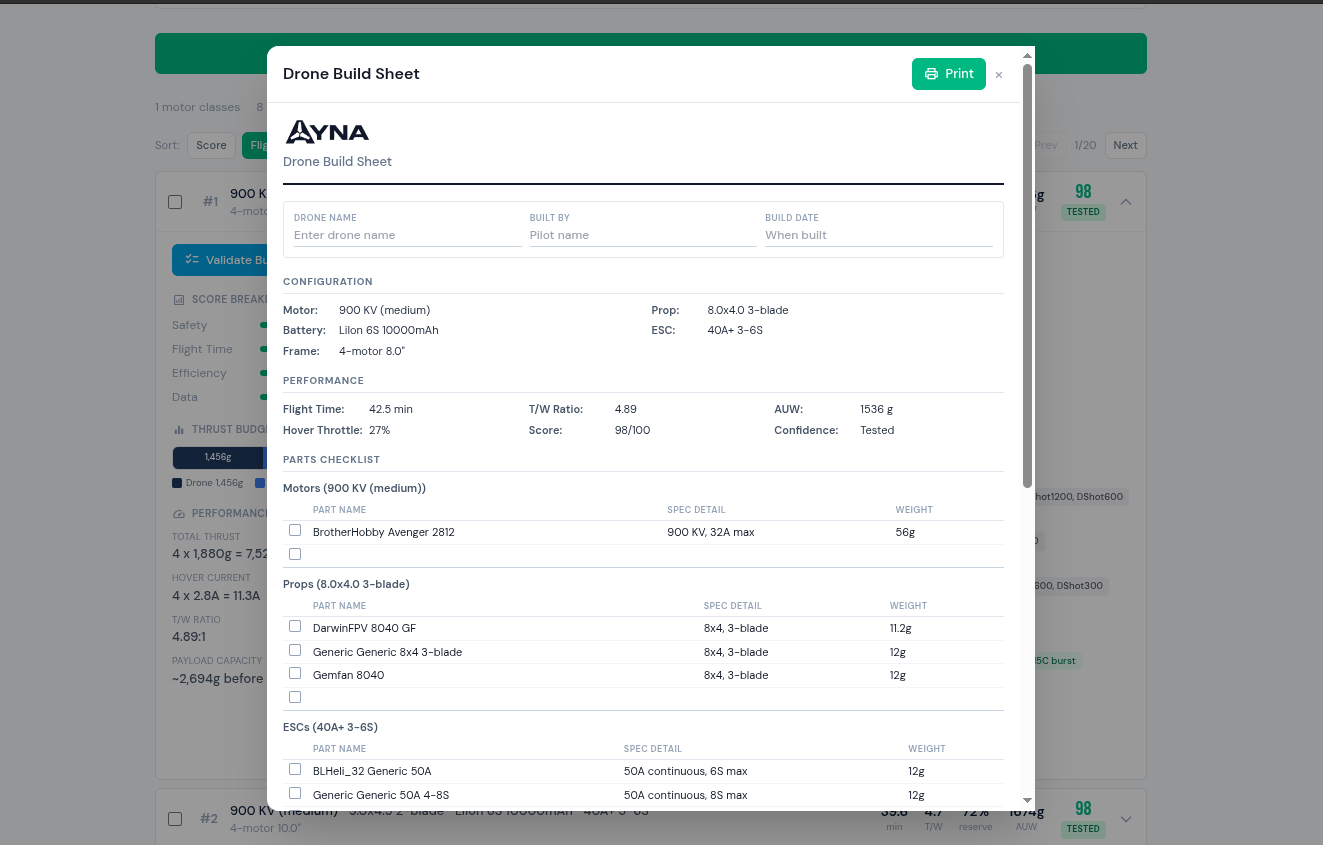
Every build gets a step-by-step physics checklist. Print a BOM sheet with configuration, performance, and parts list ready for the bench.
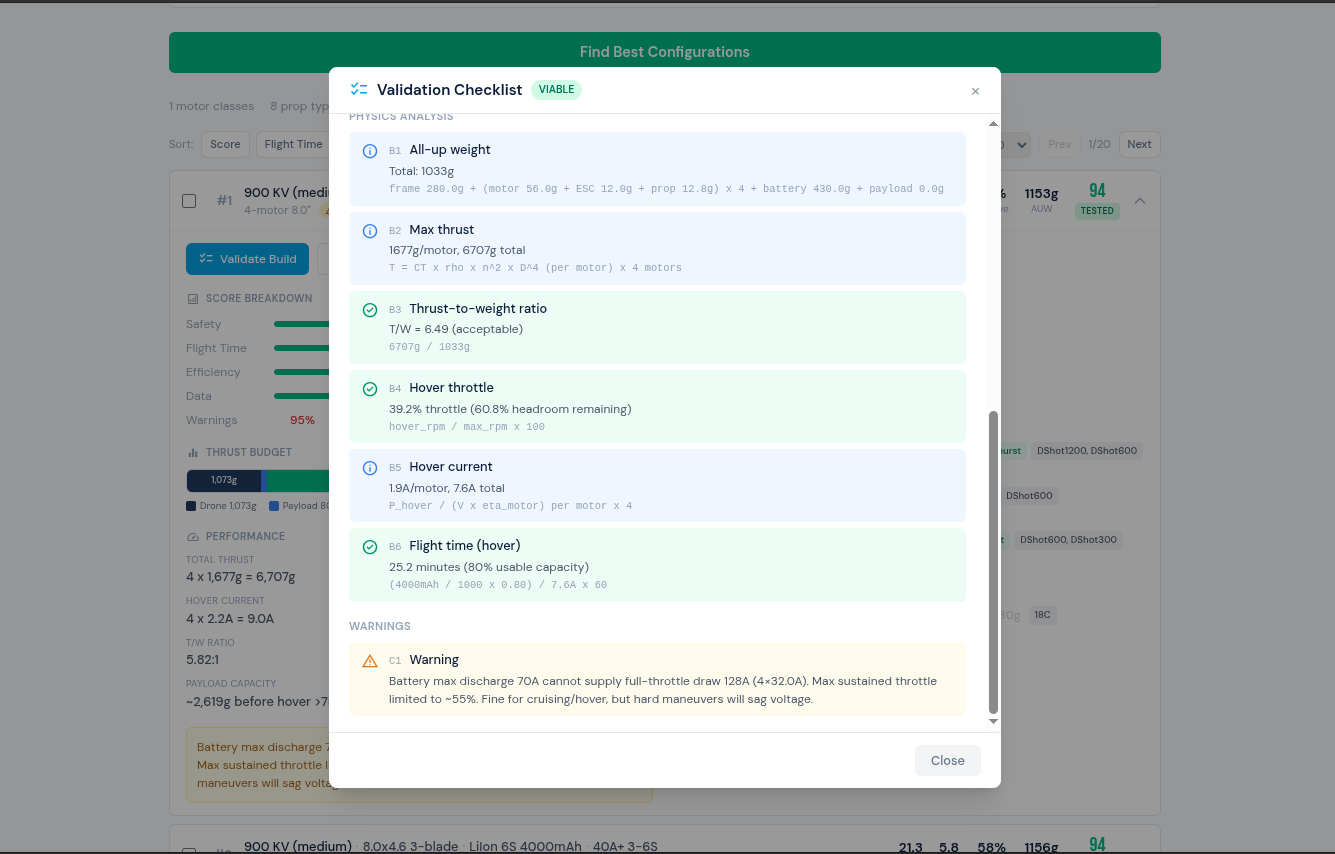
Compatibility checks, current headroom, voltage matching, and thrust margins — all with real numbers from manufacturer test data.
Set flight style, battery type, and payload. The engine ranks all compatible combinations by data confidence, flight time, and efficiency.
Every build gets a step-by-step physics checklist. Print a BOM sheet with configuration, performance, and parts list ready for the bench.
Compatibility checks, current headroom, voltage matching, and thrust margins — all with real numbers from manufacturer test data.
Find configurations, validate a build, and print a BOM — start to finish.
READY TO BUILD?
Pick your parts, set constraints, and get ranked configurations with a printable BOM in seconds.
Start Building ·
For Drone Operators
·
For Drone Operators
Built your drone? Now run your operation.
AYNA gives you an AI crew for everything after the build — Part 107 compliance, pre-flight checklists, fleet tracking, client management, and scheduling. Your builds import directly into your fleet.
311+ parts from 30 brands
Don't see yours? Enter custom specs in the builder or use the Chrome Extension to add from any product page.
Connect your AI to real drone physics
The Drone Builder exposes a Model Context Protocol (MCP) server with 9 tools. Let Claude, ChatGPT, or any AI agent search parts, find optimal builds, and validate combinations using real manufacturer test data.
Already integrated with UAVCrew.ai — the AI copilot for drone operations.
Search Parts
Search motors by KV, ESCs by current rating, props by diameter, batteries by cell count. Filter by manufacturer, weight, voltage.
Find Combinations
Physics-based recommendation engine. Fix any part and find the best match for the rest. Ranked by data confidence, flight time, and efficiency.
Validate Builds
Check any combination for compatibility, safety margins, and physics viability. Get a step-by-step checklist with real numbers.
Claude Desktop
{
  "mcpServers": {
    "drone-builder": {
      "url": "https://build.ayna.com/mcp/"
    }
  }
}
Any MCP Client
Endpoint: https://build.ayna.com/mcp/
Discovery: https://build.ayna.com/.well-known/mcp.json
Transport: Streamable HTTP (POST)
Auth: None required
Don't see your parts?
Install the AYNA Chrome Extension, browse any product page, and click the icon — specs are extracted and added to the database automatically.
Get the Extension